TetraLite
Products
TetraProbe
An Low-cost Digitizing
Probe for CNC Applications.
Home | Description
| Performance | Order | Contact
Description,
Connection and Operation
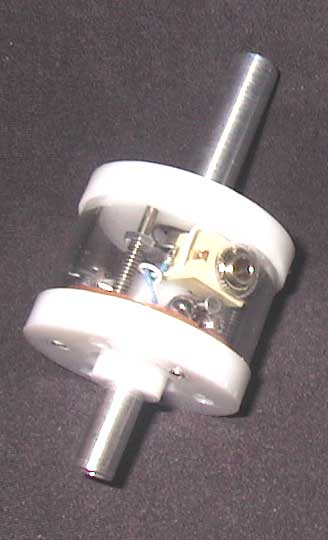 TetraProbe
Specifications:
Overall Length (w/o stylus): 3.378"
Body Max. Diam.: 1.57"
Body Height: 1.25"
Arbor: 0.375" diam., 1.275" usable length
Stylus Center Adjustment: 3 places
What you need besides a CNC machine:
1. You will need a way to interface the probe to your computer. Most CNC controllers
use the parallel (printer) port. This port has several inputs that can be used.
Some controllers may have "breakouts" built in for connecting various
types of inputs. Your CNC software should have a provision for assigning one
of the inputs to be used for a digitizing probe. If you don't have a high-impedance
input buffer already wired to an unused input, you can add one. You can't just
wire the probe directly to a parallel port input because of the low impedance
circuit it creates. It will work at first, but after a short time you will begin
to get carbon deposits building up on the internal probe contact points. This
raises the contact resistance and the probe stops working. The TetraProbe has
a 1/8" miniature phone jack for making the connection to your interface.
You will need to have a 1/8" miniature phone plug on the wire pair that
plugs into the probe.
2. You will need to make or buy a stylus for the probe. The TetraProbe comes
with your choice of either a 4mm or 5mm female threaded adapter for the stylus.
Many styli are available commercially with 4mm x 0.7mm threads or 5mm x 0.8mm
threads. A good source for styli is www.itpstyli.com.
They have a large assortment of ruby tipped and other styli. If you make your
own, you just have to put 4mm or 5mm threads on one end, depending on the adapter
you order with the TetraProbe.
(under construction)